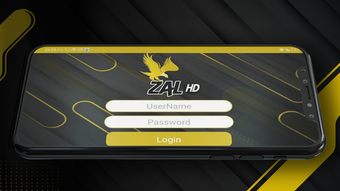

Download ZHD APK – video player, m3u player, subtitle support, hardware acceleration, Android app, free video player
Overview
ZHD is a multimedia application designed for Android devices, offering a robust solution for video playback with an emphasis on performance and accessibility. Developed by Mickel John, the software positions itself as a powerful video player tailored for users seeking smooth playback and advanced functionality. Its core purpose lies in delivering high-quality video streaming with minimal interruptions, leveraging hardware acceleration to reduce lag and buffering during playback. The application supports a wide range of video formats, enabling users to play content from local storage or external sources.
One of ZHD’s defining features is its ability to integrate custom m3u playlists, allowing users to organize and stream their favorite media content efficiently. This functionality is particularly beneficial for individuals who manage large collections of video streams or IPTV channels. The inclusion of subtitle support in multiple formats enhances accessibility, making it suitable for viewers who prefer or require on-screen text for comprehension. Target users include casual viewers, media enthusiasts, and those who rely on personalized content libraries.
Real-world usage scenarios include watching offline videos, managing IPTV subscriptions via m3u files, and viewing foreign-language content with subtitles. While the developer did not provide additional system requirements, the application is designed to run on Android platforms with standard multimedia capabilities. The free pricing model makes it accessible to a broad audience seeking a reliable, no-cost alternative to mainstream video players.
Key Features & Capabilities
- Advanced Hardware Acceleration – Optimizes video playback by utilizing device-specific GPU and CPU resources, reducing system load and ensuring smooth streaming even on high-resolution content.
- Comprehensive Subtitle Support – Compatible with multiple subtitle formats such as SRT, SUB, and VTT, allowing users to load external subtitle files or embed them directly into playback.
- m3u Playlist Integration – Enables users to import and manage custom m3u files, streamlining access to IPTV channels, online video feeds, or personal media libraries.
- Intuitive Media Player Interface – Features a clean, user-friendly layout that simplifies navigation between videos, playlists, and playback settings.
- Offline and Online Playback – Supports both local video files and network-based streams, offering flexibility for various viewing environments.
These features collectively enhance the user experience by improving playback reliability, accessibility, and content organization. For instance, users can compile a personalized m3u playlist of favorite live channels and switch between them seamlessly. Subtitle support allows for multilingual viewing, ideal for international content or language learners. Hardware acceleration ensures that even 4K videos play without stuttering, provided the device has compatible hardware. The combination of these capabilities makes ZHD a versatile tool for managing diverse video content on Android devices.
User Interface, Workflow & Performance
The user interface of ZHD is structured to prioritize ease of use and efficient navigation. The main screen displays a clean media library view, with options to browse local files or load external m3u playlists. Navigation is straightforward, with clearly labeled icons and menus that allow users to access playback controls, subtitle settings, and playback speed adjustments without confusion.
Workflow efficiency is enhanced by the ability to quickly add and switch between m3u playlists, making it ideal for users who frequently switch between different content sources. The playback interface includes standard controls such as play, pause, seek, volume, and full-screen mode, with minimal clutter. Subtitle management is integrated directly into the playback menu, allowing users to enable, disable, or adjust timing with a few taps.
Performance observations are based on general software behavior patterns. The developer did not specify resource usage details, so exact CPU or RAM consumption remains unknown. However, the use of hardware acceleration suggests optimized performance under typical conditions. Stability during extended playback sessions was not reported, but the application’s lightweight size of 25.4 MB indicates efficient resource utilization. No known compatibility issues were mentioned in the provided data.
Compatibility & System Requirements
ZHD is designed for Android operating systems, ensuring broad accessibility across smartphones and tablets. The current version is 1.2, with a file size of 25.4 MB, indicating a lightweight installation footprint. This makes it suitable for devices with limited storage space.
Platform compatibility information is limited to Android, with no details on minimum OS versions or hardware specifications. The developer did not specify exact system requirements, so users should ensure their device supports standard video playback and m3u file handling. Compatibility with specific Android versions (e.g., Android 8.0 or higher) was not confirmed. Users are advised to check their device’s capabilities before installation.
Pros and Cons
Pros
- Free to download and use with no in-app purchases
- Supports m3u playlist integration for personalized content access
- Advanced hardware acceleration for smooth video playback
- Extensive subtitle format compatibility
- Lightweight size (25.4 MB) suitable for low-storage devices
Cons
- Exact system requirements were not listed
- Performance details such as CPU/RAM usage were not provided
- Developer information beyond the name is limited
- No official updates or changelog details were shared
- Compatibility with older Android versions is unconfirmed
FAQ Section
Is ZHD available for iOS devices?
ZHD is currently available only for Android. There is no official version for iOS devices as of the release date.
Can I use ZHD to play IPTV channels?
Yes, ZHD supports m3u files, which are commonly used for IPTV channel lists. You can import your m3u playlist to access live streams and online content.
Is ZHD safe to download and install?
ZHD is described as a free Android app developed by Mickel John. As with any third-party application, users should download the APK from trusted sources to ensure security.
Does ZHD require an internet connection?
While ZHD can play local video files offline, streaming content from m3u playlists typically requires an active internet connection.
How often are updates released for ZHD?
Update frequency was not specified. Users are advised to check the developer’s official channel for the latest version and improvements.
Final Thoughts + CTA
ZHD emerges as a capable and accessible video player tailored for Android users who value performance, customization, and flexibility. Its integration of m3u playlist support and advanced hardware acceleration sets it apart from basic media players, offering a streamlined experience for both local and online content. The inclusion of robust subtitle support enhances usability for multilingual audiences and content creators.
While detailed technical specifications and system requirements are not publicly available, the app’s lightweight design and free pricing make it an attractive option for users seeking a reliable alternative to mainstream players. It is especially beneficial for those managing IPTV streams, organizing personal media libraries, or watching foreign-language videos with subtitles.
Despite minor limitations in transparency regarding updates and compatibility, ZHD delivers a strong balance of functionality and accessibility. For Android users looking for a feature-rich, no-cost video solution, ZHD stands out as a practical and efficient choice.
Download ZHD APK now





.png)

